
Your inbox
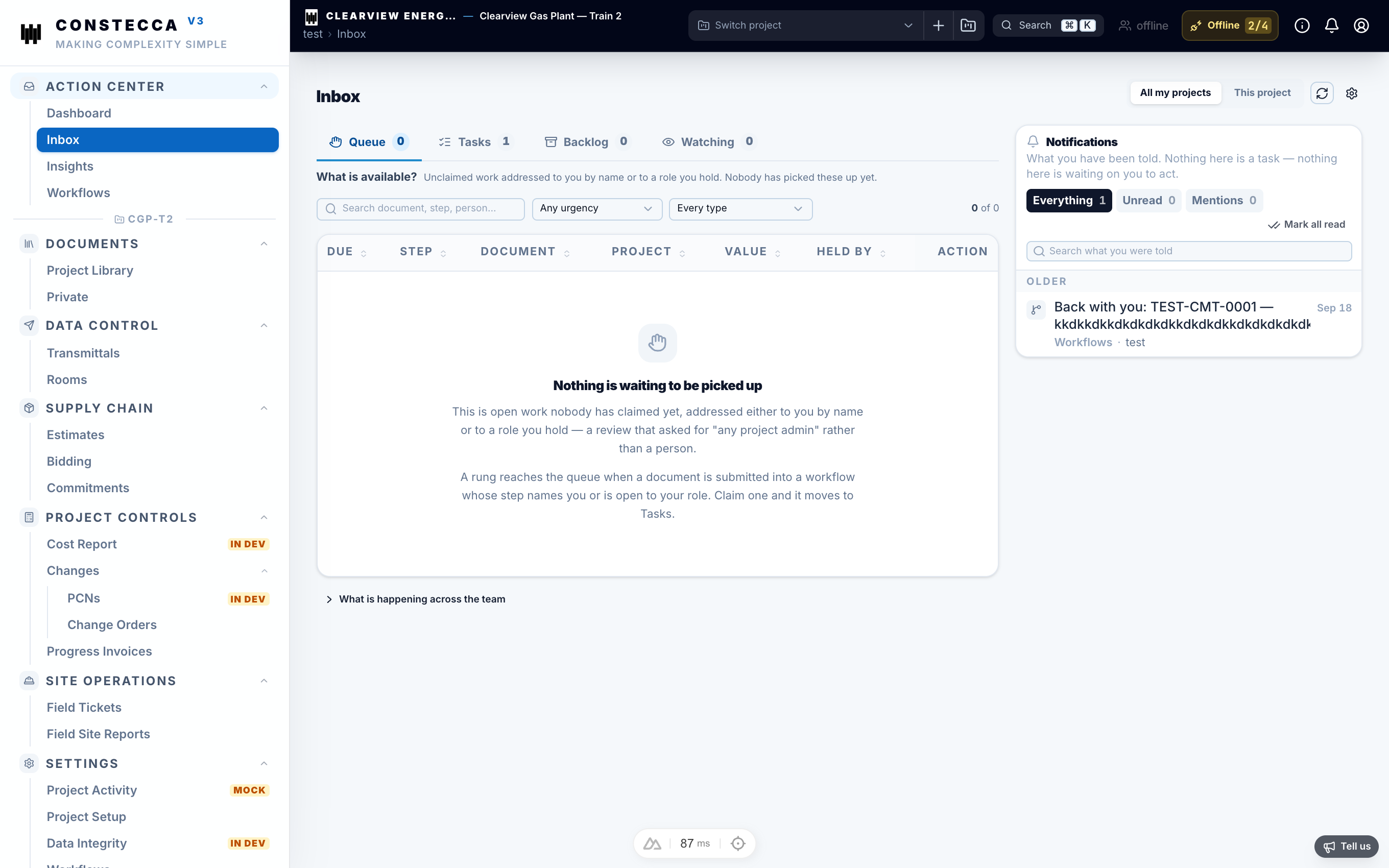
Your inbox in the Action Center is where your work finds you. It is a tool to help you and your team coordinate, not a stopwatch for managers. Open it, deal with what is in front of you, and get back to your day.
The piles
The inbox keeps your work in separate piles. They never mix, so a notification never buries a task.
| Pile | What it holds |
|---|---|
| Queue | Tasks offered to a role you hold. Anyone with that role can pick one up. |
| Tasks | Tasks that are yours to act on now. |
| Backlog | Tasks you have set aside to come back to later. |
| Watching | Documents you follow. You see their progress but are not asked to act. |
| Notifications | News about documents you are involved in: something was approved, returned, or answered. |
How a task works
A document moves along a chain of steps, such as review, then approval, then authorization. Each step is a task sent to the role that owns it. When you act, the document moves to the next step and the next person gets their task.
Open the task
Click the task in your inbox. Constecca opens the document it is about.
Decide
Read the document and click the button that matches your decision, for example Approve. You act on the document itself.
Move on
The task leaves your pile and the chain carries on without you.
Deadlines are yours
A task has no deadline unless you give it one. An empty due date is normal. Set a date when it helps you plan, and leave it blank when it does not.
Set a task aside
Move a task to your Backlog when you cannot deal with it yet. It stays assigned to you, and nobody else loses sight of it. If you share a role with colleagues, they still see the task, so it never quietly disappears.