
Review rooms
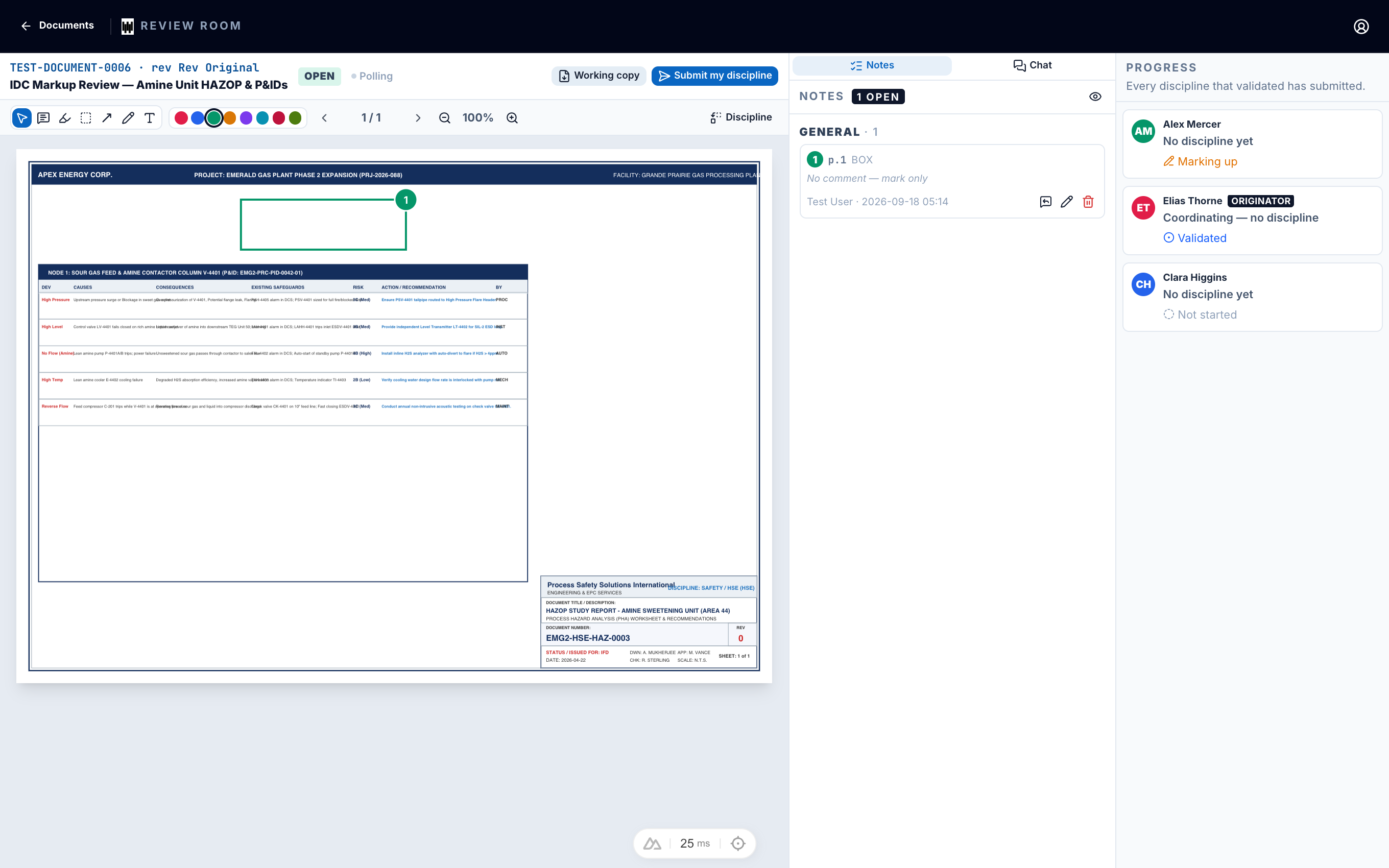
A review room is a shared space where several people mark up the same document at the same time. Each person sees the others' markups as they are made, so the team reaches one set of comments instead of many conflicting copies.
Who takes part
A room has seats, usually one per discipline, such as electrical, mechanical or process. Each seat is held by the person who holds the Room role for that discipline on the project.
If the person holding a discipline changes, their seat is marked Left. They keep access to what they saw, and the new holder takes part from then on.
Open a room
Go to Rooms
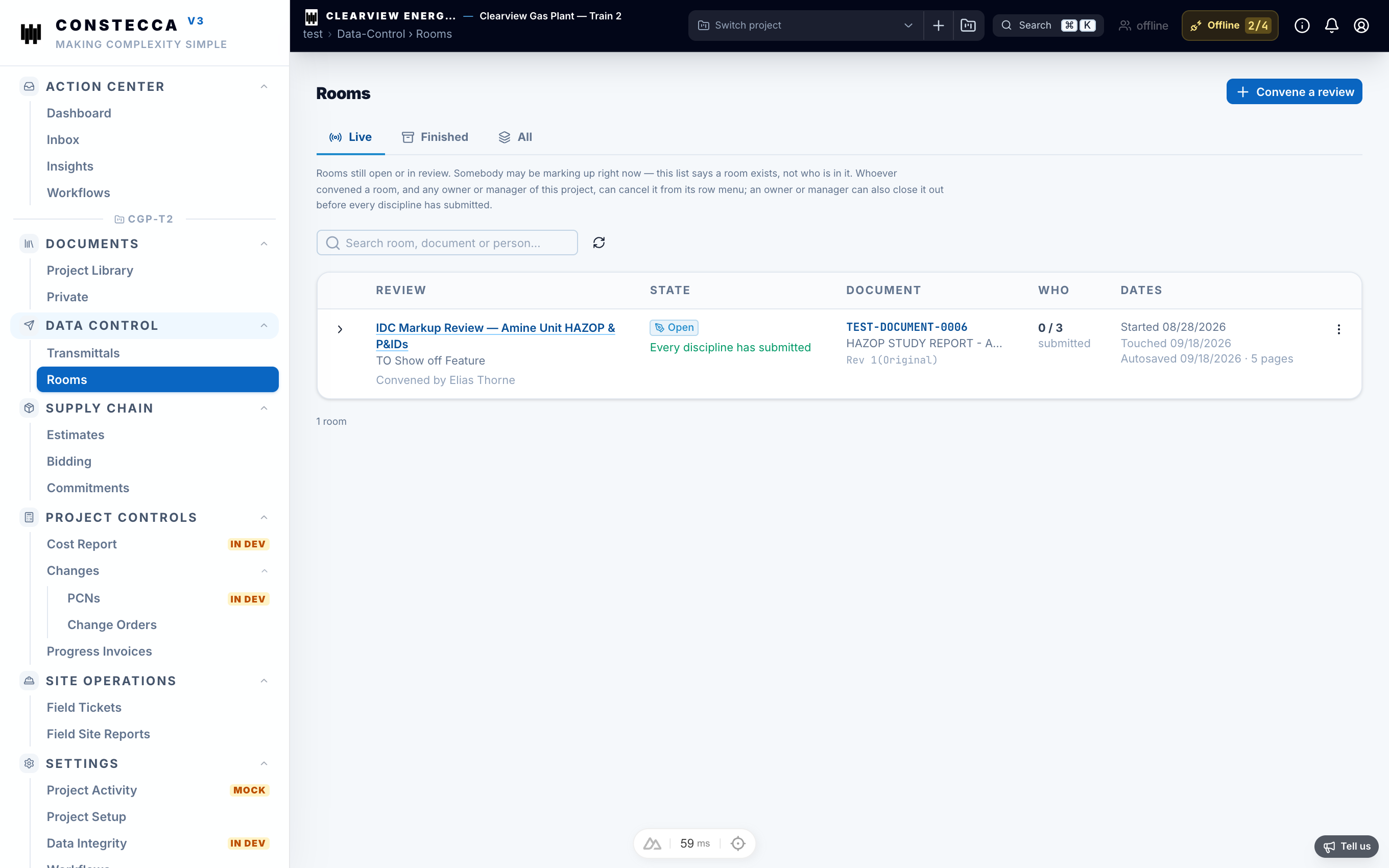
Open Data Control, then Rooms. You see the rooms you have a seat in.
Enter the room
Click a room to open its document.
Mark it up
Add your comments and markups on the document. Other participants see them appear. Your work saves automatically as you go.
Finish the review
When the review is done, the room's markup draft can be promoted to the project Library as a document of its own. The marked-up copy then sits on the register beside the original, with its history.