
Supply Chain
Commitments
Track purchase orders and contracts, and see how much of each is spent.
A commitment is an agreement to pay a supplier: a purchase order or a contract. Every change order and invoice on the work hangs off its commitment.
Create a commitment
Most commitments come from an awarded bid. See Award the work.
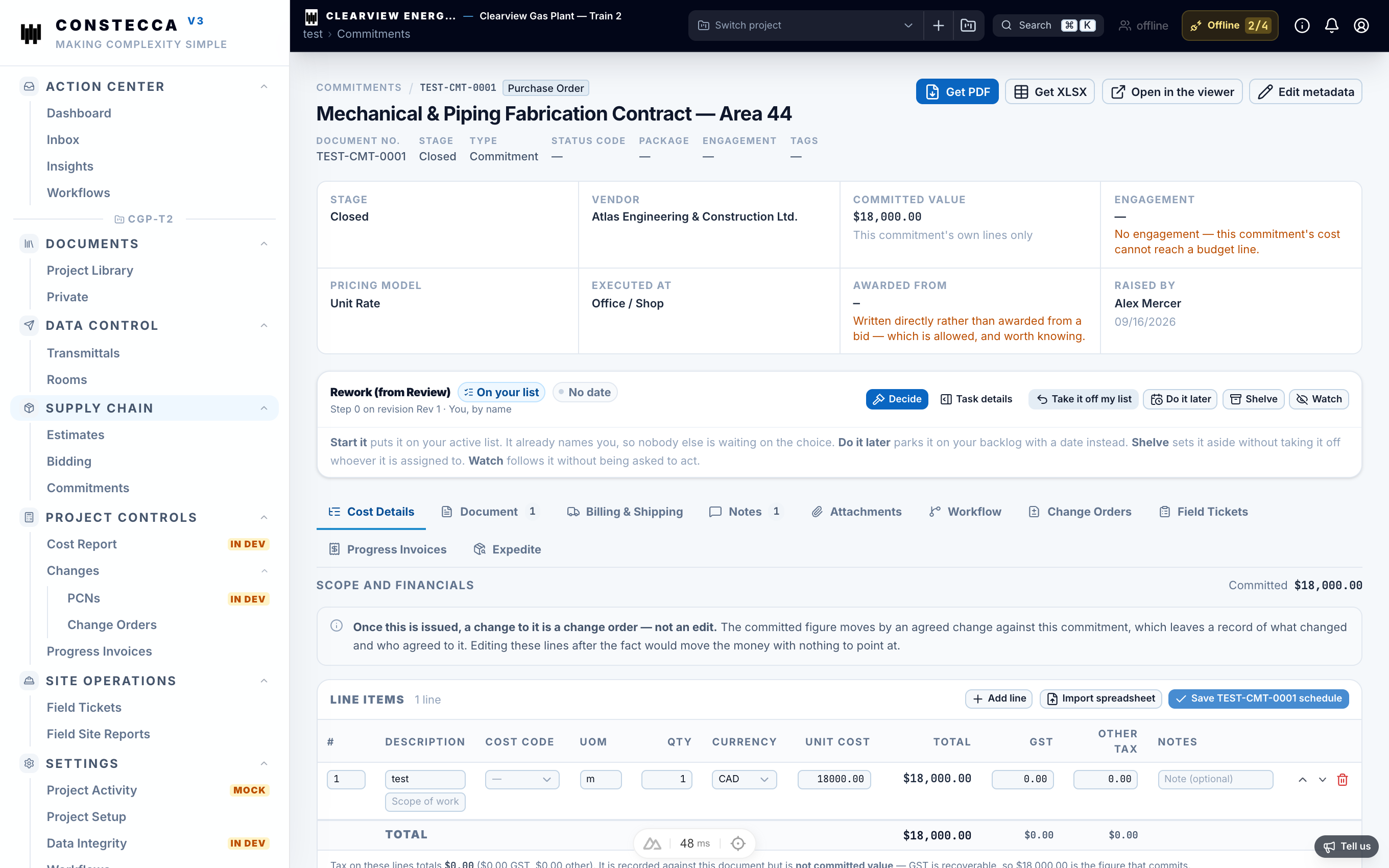
To create one by hand, go to Supply Chain › Commitments and click New. Pick the agreement type, the supplier company and the engagement.
Add line items
Each line describes one part of the work and its price.
Description
text
What the supplier delivers.
Quantity, unit and unit cost
number
The line amount is quantity times unit cost.
Taxes
money
GST and any other tax on the line.
Budget line and cost code
list
Where the cost lands on the cost report.
Click Save when you finish. Send the commitment for approval from the same page.
Read the position
The position tells you where a commitment stands right now. It answers one question: how much can still be invoiced?
| Figure | Means |
|---|---|
| Original value | The sum of the commitment's lines. |
| Approved change orders | Extra (or reduced) value from change orders that are approved. |
| Current value | Original value plus approved change orders. |
| Invoiced | What progress invoices have claimed so far. |
| Remaining | Current value minus invoiced. |
A change order that is still waiting for approval does not count. Only approved change orders raise the ceiling.
Tabs on a commitment
- Invoices lists every progress invoice on the commitment. Click one to open it.
- Attachments holds the signed agreement and any other files. Click Attach to add one. Click a file's name to see it in a window over the commitment.
- Notes keeps the conversation about the commitment.
- Workflow shows where the approval stands.