
Estimates
An estimate is your own price for a piece of work. You build it line by line, and it becomes the figure that incoming bids are measured against.
Create an estimate
Open the estimates list
Go to Supply Chain › Estimates and click New Estimate.
Pick or create an engagement
The dialog opens on Create a new engagement. Keep it to start a new package of work, or pick an existing engagement from the list.
Give it a title
Enter a short title and save. The app numbers the estimate and opens it.
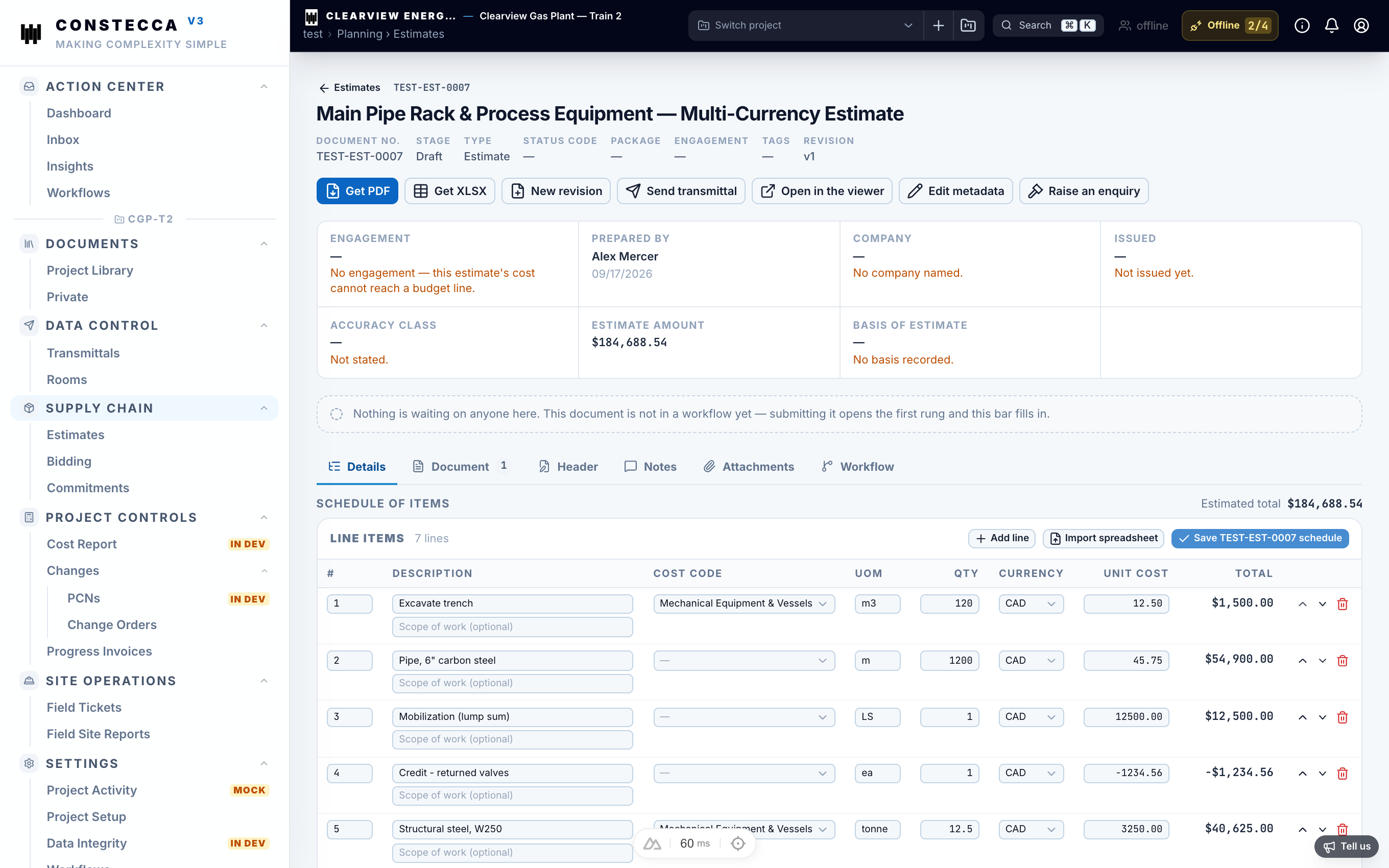
Add the schedule of items
The schedule of items is the list of lines that make up your price. For each line, fill in what you know:
Click Save when you finish. The estimate amount updates from the lines.
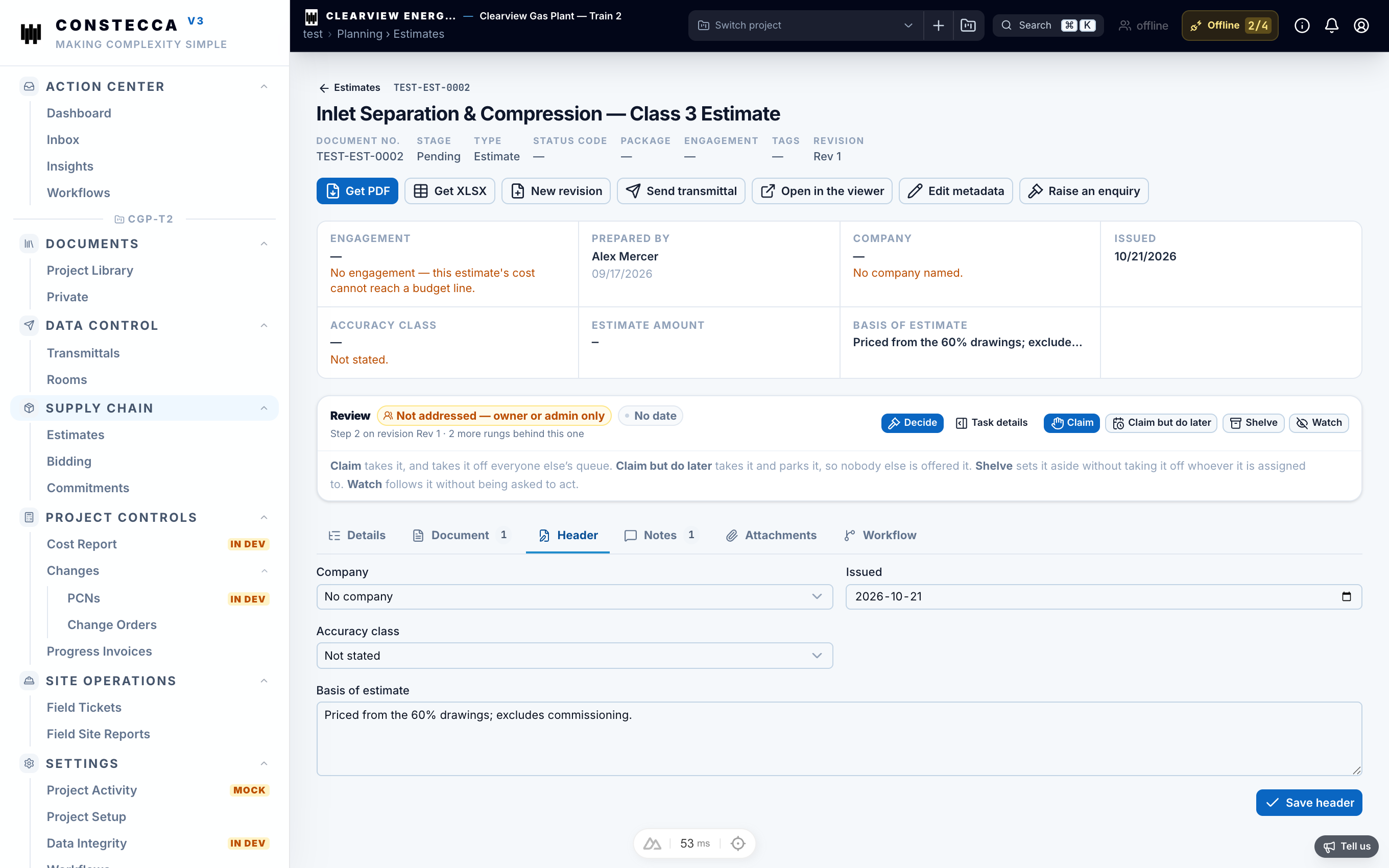
Fill in the header
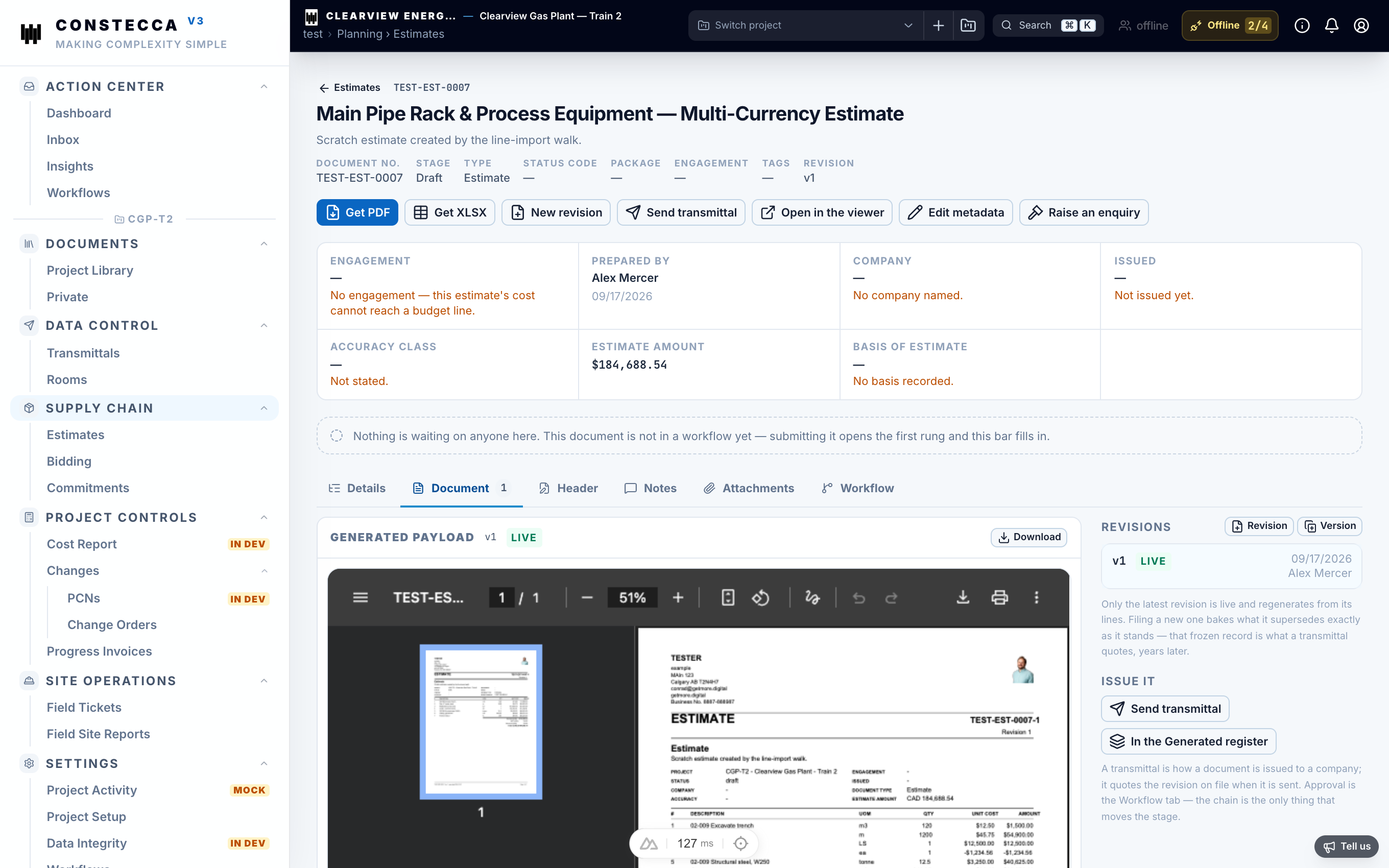
Open the Header tab to set the company, the issued date, the accuracy class and the basis of estimate. These details print at the top of the estimate's PDF. The Document tab shows a live preview of that PDF.
Raise an enquiry from an estimate
When the estimate is ready, click Raise an enquiry. The app starts a new enquiry with the same title, company and schedule of items. See Bidding.
Send it for approval
Click Send for approval to start the estimate's workflow. Approvers find it in their Action Center.