
Documents
Generated documents
Documents built in Constecca from line items, from estimates to invoices.
Some documents are not uploaded. You build them in Constecca from a header (company, dates, references) and a list of line items. Constecca produces the finished PDF for you.
Generated documents follow the same rules as uploaded ones. They have a document number, revisions, a status and an approval chain, and they appear on the Generated shelf of the register.
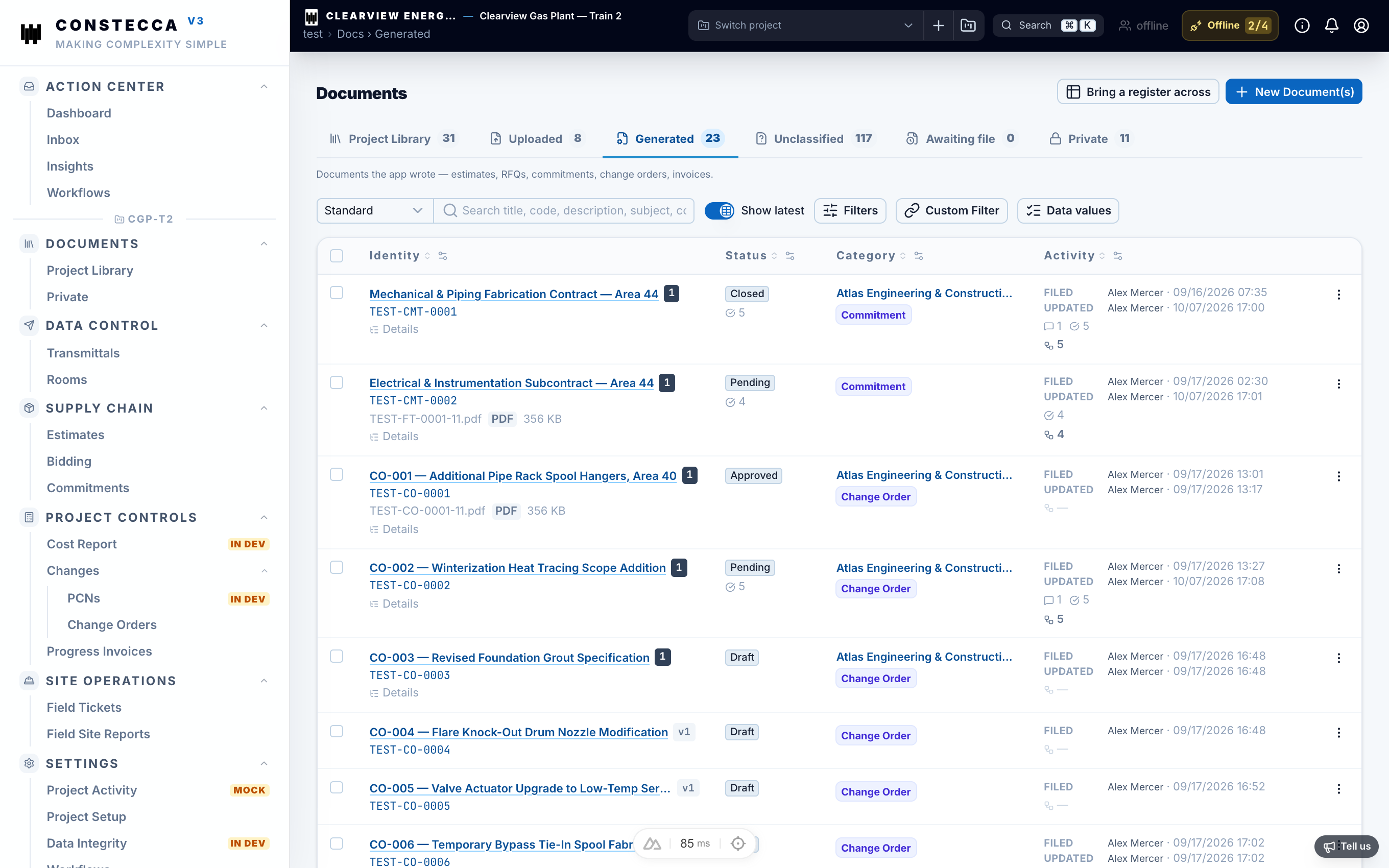
Types of generated document
Transmittals are generated documents too. See Transmittals.
What a generated document page offers
Most generated documents share the same page layout:
- the line items, which you edit while the document is editable,
- a Document tab that previews the PDF from the current data,
- a Notes tab for comments,
- a Send for approval button that starts its approval chain.
Field site reports are the exception: they have no line items and no approval chain.
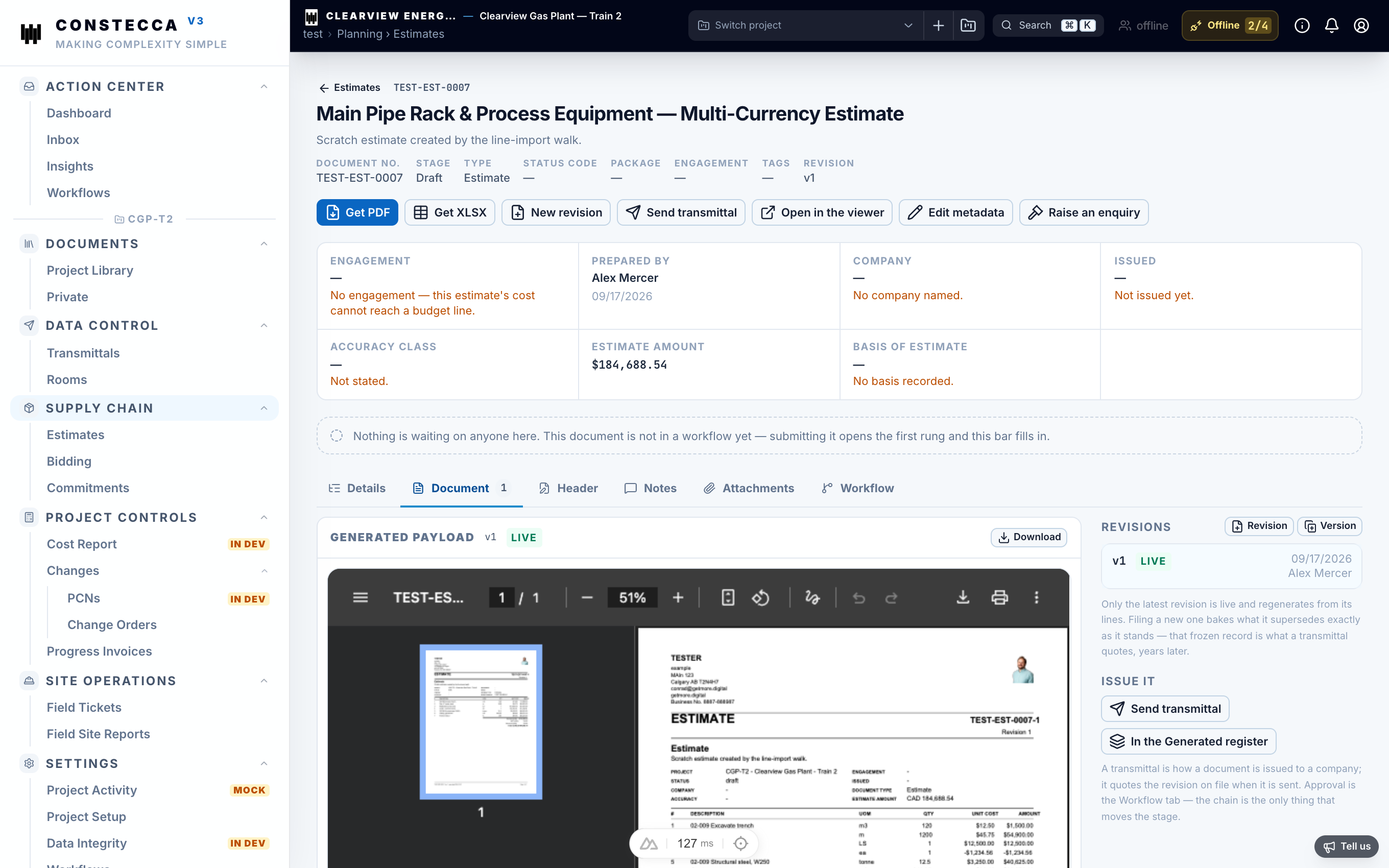
Amounts are kept per currency. A document with lines in CAD and USD shows a total for each currency and never converts between them.