
Guests
Working with guests
How outside companies take part in your project, and what they can see.
A guest is someone from an outside company, such as a supplier, contractor or consultant. Guests take part in your project without becoming part of your team.
How someone becomes a guest
You do not need to set up guests in advance. A person becomes a guest when you:
- issue a transmittal Via app with them as an Attention contact,
- invite them to bid on an enquiry, or
- add them as a Guest on Settings › Workspace › Users. See People.
What a guest sees
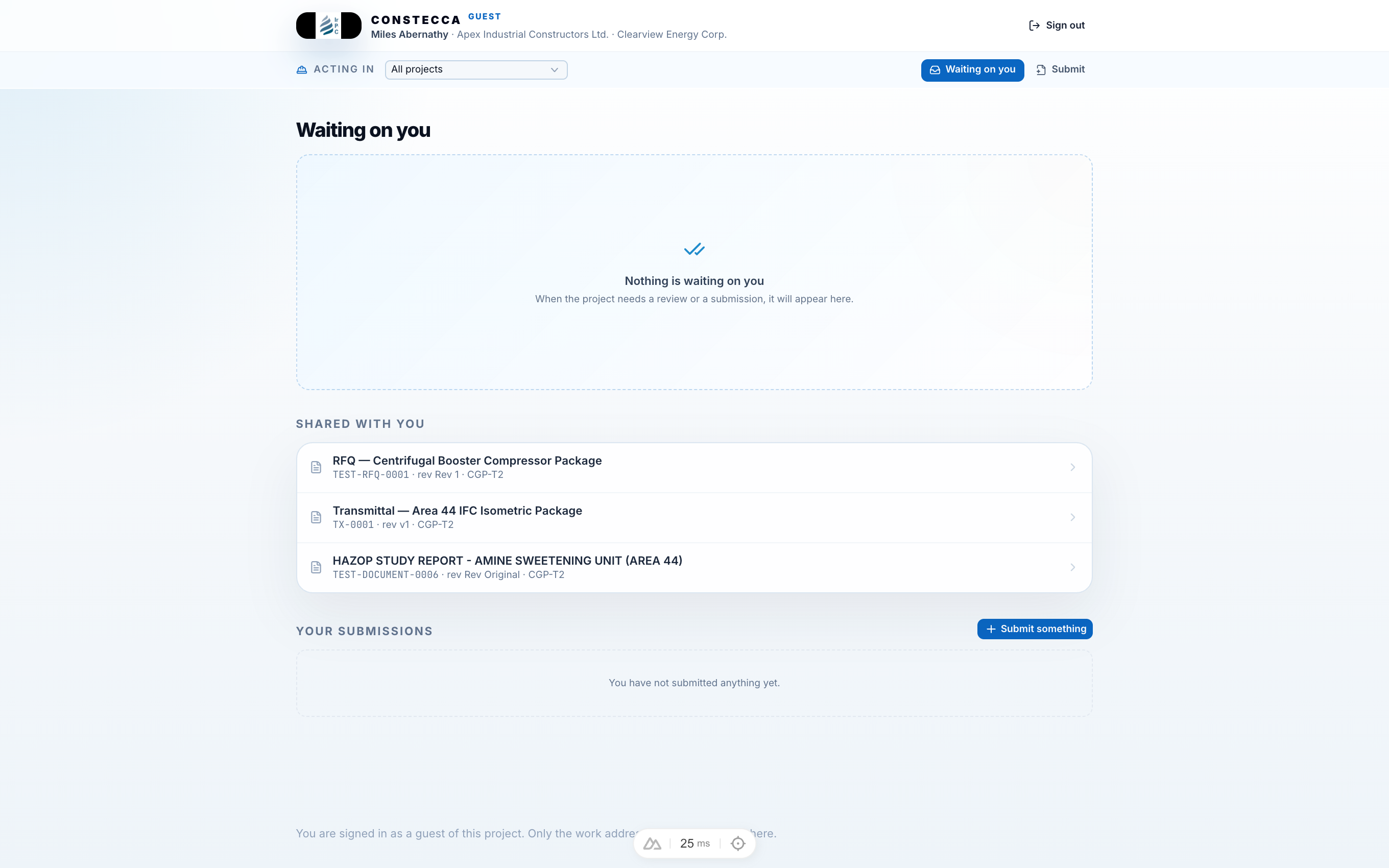
A guest signs in to their own guest pages with an emailed link; they never have a password. They see only what you have sent them:
- documents you have shared with them, including transmittals sent to them and the documents those transmittals shared,
- enquiries they are invited to bid on, and their own bids,
- the questions (RFIs) they have sent the project.
A guest cannot browse your project register, and sees only the projects they have been added to. A guest is always a viewer and follower: they can read and respond, but they never receive workflow tasks.
What a guest never sees
- Your estimates and their prices.
- Other suppliers' bids.
- The email addresses of other people on a document. See Privacy.
- Your notes on a document, or other guests' notes. A guest sees only the notes they wrote. The exception is your replies under an enquiry's questions: every bidder invited to it can read them.
To check what a guest will see, look at what you have sent them. If it is not on a transmittal, an enquiry or shared with them, they cannot see it.
Help pages for your guests
These pages are written for guests. Send a guest the link that matches what you have asked of them.